.webp)
Restaurants and retailers across Europe run their day-to-day on Lightspeed, a point-of-sale platform built for hospitality and retail businesses that need to manage orders, payments, and sales in one place.
Why connect your product to Lightspeed?
- Automate sales and closure data retrieval, no more manual exports
- Tap into rich transaction data to power reporting, analytics, and accounting features
- Reduce errors and free your users from repetitive data entry
- Build features that react to real-time activity at the point of sale
This guide covers everything you need to know about the Lightspeed API, from how it works to setup and best practices, and how Chift's Unified POS API helps you skip the heavy lifting.
What is the Lightspeed API?
Lightspeed offers a REST API to communicate with the data in the system. The API is built on RESTful standards and follows the basic verb interactions defined by the REST standard, so if your team has worked with any modern web API before, it will feel familiar.
A few things to know:
- RESTful design covering the core POS entities: orders, sales, payments, products, and locations
- Developer documentation is available in the Lightspeed Restaurant API Portal, where you can find detailed guides and request access
- The API is in continuous development and subject to change, so versioning matters. Lightspeed publishes a versioning policy you should follow to avoid surprises
- Authentication is granted through credentials you obtain from the Lightspeed developer portal
At Chift, we integrate directly with Lightspeed's official REST API and handle authentication, data mapping, and structure changes for you. So you don't have to track every API update or build the plumbing yourself.
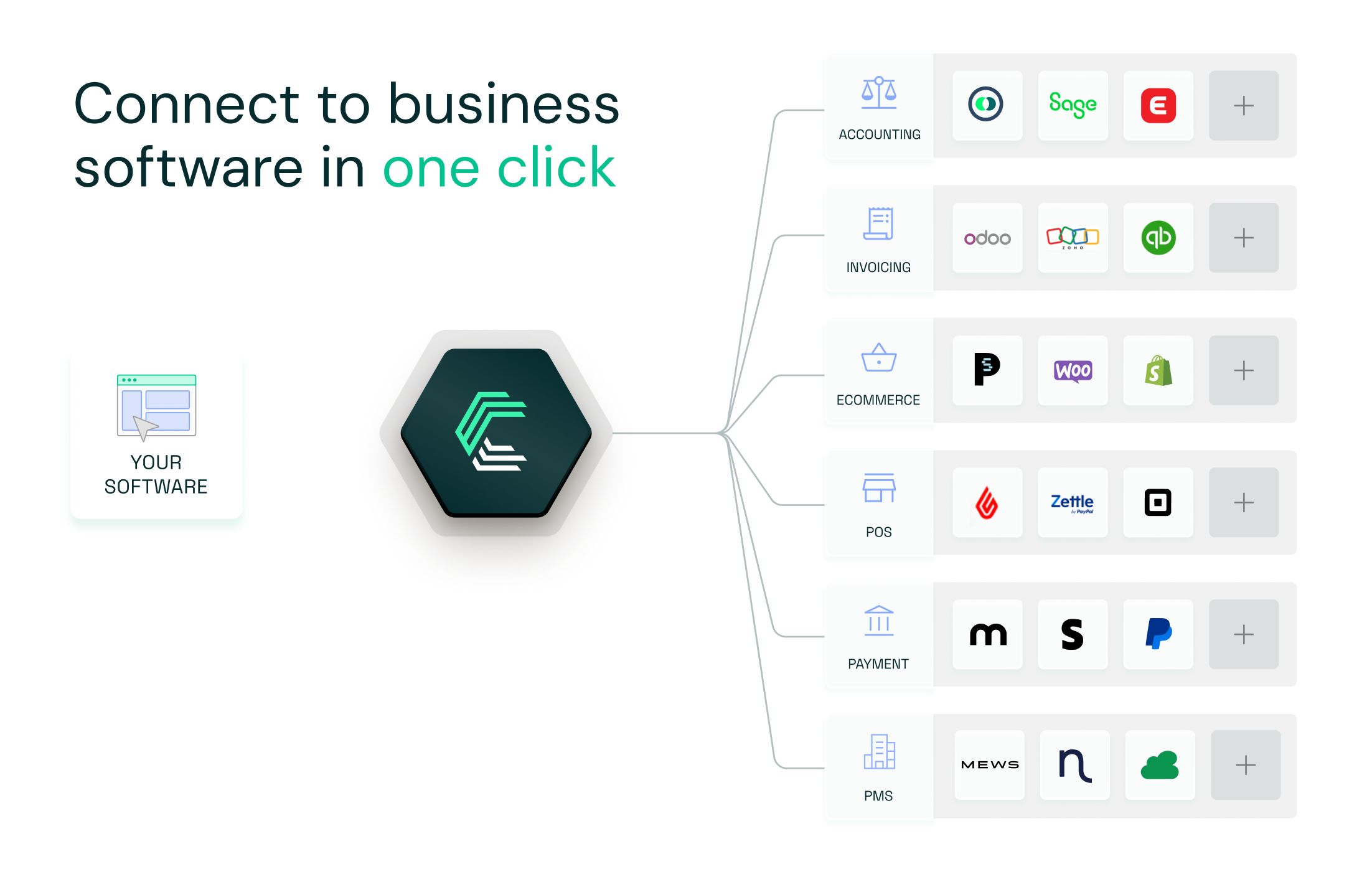
Chift's Unified POS API also lets you connect to dozens of European POS platforms, including Lightspeed, Square, Zelty, and L'Addition, through a single integration.
Connect to all popular solutions with a single integration
Discover how Chift's Unified APIs have helped software vendors quickly add dozens of integrations.
Examples of Lightspeed API integration use cases
Integrating with Lightspeed unlocks practical, data-driven features. Here's how Chift clients already use POS data to deliver value to their users.
Automating end of day reports in accounting software
Accounting platforms use Chift's POS integrations to automatically retrieve daily closure data (Z reports) from hospitality businesses. This means no more manual data collection, fewer errors, and a smoother relationship between accountants and their clients.
.jpeg)
Performance metrics in HR & planning software
HRIS and workforce planning platform, can use POS sales data to generate performance reports per shift or employee. This lets restaurant managers link staffing decisions directly to revenue, making it easier to optimize scheduling and motivate teams.
.jpeg)
Real-time inventory sync
ERP tools connected to Lightspeed through Chift can track sales in real time and adjust stock levels automatically. This helps venues prevent stockouts, reduce waste, and keep procurement aligned with what's actually selling.
.jpeg)
Find out more use cases on this page.
Setting up your Lightspeed API integration
Getting started with Lightspeed follows a few clear steps.
- Request developer access. Head to the Lightspeed Restaurant API Portal and request access to obtain your credentials.
- Get your credentials. Lightspeed provides the keys you'll need to authenticate and call the API on behalf of your users.
- Connect through Chift. With Chift, you activate the Lightspeed connector in one click. We handle the authentication flow, token storage, and data mapping for you. Follow our setup documentation to get going.
- Start syncing. Once connected, you can retrieve orders, sales, payments, and more through a single, consistent data model.
While Lightspeed's REST API is developer-friendly, a production-grade integration needs more than a few API calls: data normalization, multi-tenant handling, error management, and ongoing maintenance as the API evolves. That's exactly what Chift takes care of.
Best practices for Lightspeed API integration
To build a robust, scalable integration, keep these in mind:
- Implement exponential backoff for retries on transient failures such as
429and503. Chift handles this automatically. - Set timeouts on every request. Never wait indefinitely for a response.
- Cache responses where possible to reduce unnecessary calls, especially for data that doesn't change often.
- Normalize your data into a consistent internal model so different POS systems map cleanly to your product.
- Stay on top of versioning. Because Lightspeed's API is in continuous development, track version changes, or let Chift absorb them for you.
Connect to Lightspeed and other popular POS software with a single integration
Building a direct connection to Lightspeed takes time, effort, and ongoing maintenance, especially if you also need to integrate other POS systems.
With Chift's Unified POS API, you connect once and access Lightspeed, Square, Zelty, L'Addition, Popina, and many more through one consistent data model.
- Single integration for dozens of European POS tools
- Built-in authentication, pagination, and rate-limit handling
- Unified and standardized data
- Real-time sync and advanced monitoring
- A seamless experience for your users
Want to see how Chift's Unified POS API can power your product? Book a demo
Lightspeed API FAQ
What endpoints are included in the Lightspeed API?
Chift's Lightspeed connector gives you access to a wide range of endpoints, including but not limited to:
- Locations
/locations - Orders
/orders - Sales
/sales - Payments
/payments - Products
/products
Consult our Lightspeed API documentation for a full list of available routes.
Does Lightspeed have an API?
Yes. Lightspeed offers a REST API built on RESTful standards, giving developers access to orders, sales, payments, and other POS data. You can find the developer guides in the Lightspeed Restaurant API Portal.
What accounting software does Lightspeed integrate with?
Directly, Lightspeed connects to a selection of tools through its own marketplace. Through Chift, Lightspeed POS data can flow to any accounting tool in our network, including Pennylane, MyUnisoft, and dozens more, without you building each connection yourself.
What are the Lightspeed API rate limits?
Lightspeed does not enforce documented rate limits on its API. Even so, we recommend building defensively: use exponential backoff on transient errors, set request timeouts, and cache responses where you can. Chift applies these safeguards for you.
.webp)

.jpg)