.webp)
a3ERP is an on-premise ERP widely used by SMEs. Unlike modern cloud tools, it does not expose a public API. Yet, many software companies still need to retrieve accounting data from a3ERP or push data into it as part of a broader integration strategy.
So how do a3ERP integrations actually work?
In this guide, we explain:
- How data exchange with a3ERP is possible despite the absence of an API
- Which technical components are used (SQL access and C# DLL)
- How to set up an a3ERP integration correctly
- Best practices to ensure stability, security, and performance
Whether you’re a CTO, product manager, or integration engineer, this article gives you a clear, practical view of a3ERP integration.
What it the a3ERP API?
Let’s be clear from the start: a3ERP does not expose a public REST or SOAP API. Data exchanges rely on direct database access and proprietary SDKs provided by the editor.
This architecture is documented in a3ERP’s technical documentation.
Instead, data exchange with a3ERP relies on two complementary mechanisms:
1. Reading data via SQL queries
a3ERP stores its data in a database that you can access directly.
- You retrieve data by running SQL queries on the a3ERP database
- Each integration requires a deep understanding of a3ERP’s data model
- You must know exactly which tables and fields contain the data you need (invoices, customers, accounting entries, etc.)
This approach is powerful, but it is also very technical and tightly coupled to a3ERP’s internal structure.
2. Writing data via a C# DLL
To push data into a3ERP, the editor provides a C# DLL.
- This DLL allows you to create or update data in a3ERP
- It must be used from the same machine where a3ERP is installed
- A dedicated connector must be installed to interact with the DLL
In short:
- Read = SQL (you can retrieve data with the C# DLL but SQL is better for performance)
- Write = C# DLL
There is no HTTP API layer in between.
Connect to all popular solutions with a single integration
Discover how Chift's Unified APIs have helped software vendors quickly add dozens of integrations.
Authentication and credentials
Authentication in a3ERP follows the same logic as the application itself.
To connect, you need:
- An a3ERP username
- The corresponding password
- A company code, which identifies the company inside a3ERP
A useful detail to know:
👉 Each a3ERP user has an equivalent SQL user, allowing database access with the same credentials.
This means user management and permissions play a critical role in integration security.
What can you do with an a3ERP integration?
Connecting to a3ERP unlocks a wide range of use cases for software companies building financial and business management solutions. Even without a traditional API, a3ERP integrations enable powerful workflows when implemented correctly.
Here are some of the most common and high-value use cases enabled through ana3ERP integration.
Synchronizing customer and supplier data
Keep customer and supplier records automatically synchronized between your product and a3ERP.
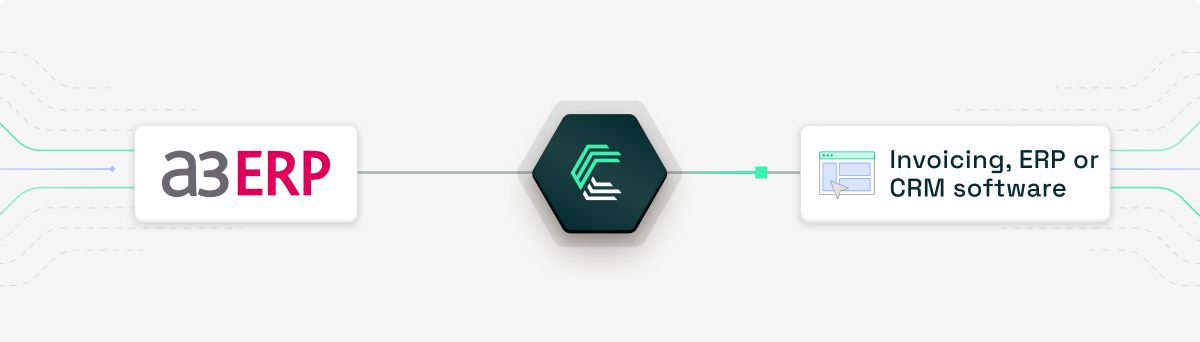
This use case is especially valuable for:
- CRM and ERP platforms
- Invoicing and billing solutions
- Pre-accounting tools
By retrieving and updating master data from a3ERP, you ensure consistent records across systems, reduce manual corrections, and improve overall data quality for end users.
Powering pre-accounting workflows
Pre-accounting tools can export financial data directly into a3ERP, allowing accountants to work with clean, structured data from day one.

Typical workflows include:
- Creating journal entries from expense or invoice data
- Exporting validated accounting entries to a3ERP
- Reducing manual re-entry for accountants and SMEs
This significantly shortens the path from operational data to compliant accounting.
Cash flow forecasting and financial visibility
Accounting data stored in a3ERP, such as open client and supplier invoices, can be retrieved to power cash flow forecasting and financial reporting features.

With access to up-to-date accounting data, your users can:
- Anticipate future cash movements
- Improve liquidity planning
- Make more informed financial decisions
This is a core use case for cash flow management, financial planning, and reporting software.
Automating bank and fee entries

For banks, neobanks, and financial platforms, integrating with a3ERP allows the automatic creation of accounting entries related to:
- Bank transactions
- Fees
- Foreign exchange differences
This automation ensures accounting data accurately reflects real-world cash movements, while drastically reducing manual reconciliation work for finance teams.
Enabling financial data access for risk and eligibility assessment

Accounting data from a3ERP can also be used to feed:
- Credit scoring models
- Risk assessment engines
- Eligibility checks for financial products
By retrieving structured financial data, fintech platforms can generate fast, data-driven decisions while keeping accounting systems in sync.
How does the a3ERP integration setup work?
Because a3ERP is an on-premise solution, integration requires a local setup.
A local connector (agent)
Integrations rely on a local agent installed directly on:
- The server where a3ERP is installed
- Or the computer where a3ERP is installed
Windows service installation
The connector:
- Is installed as a Windows service
- Runs continuously in the background
- Handles communication between:
- Your integration logic
- The a3ERP database (SQL)
- The a3ERP C# DLL
This architecture ensures data stays local, which is often a strong requirement for accounting and ERP environments.
Best practices for a seamless integration with the a3ERP API
Based on experience, here are a few best practices that will save you time, and headaches.
1. Create a dedicated a3ERP user for the connector
Always create a specific user account used only for integrations.
- Easier to audit
- Easier to revoke or rotate credentials
- Clear separation from human users
2. Restrict user permissions
Limit this user’s access to:
- Only the companies that need to be connected
- Only the necessary rights
This reduces security risks and limits accidental data exposure.
3. Avoid parallel write operations
There are no official rate limits, but keep in mind:
- The connector runs locally
- The C# DLL is not designed for high concurrency
👉 Avoid parallel requests, especially when creating or updating data. Sequential processing is far safer and more stable.
Connect to a3ERP and other leading accounting tools with a single API integration
Chift’s Unified Accounting API lets you integrate with all major European accounting software through one single API, without wasting time or budget on building and maintaining multiple integrations.
In addition to a3ERP, you can connect to tools such as Tripletex, Pennylane, Horus, FreeAgent, Holded, and many more, using the same data model and integration logic.
Built for scale, Chift’s Unified Accounting API helps software companies:
- Reduce integration and maintenance costs
- Launch new accounting connectors faster
- Stay compatible with evolving tools and local market requirements
With one-click activation, real-time monitoring, and a centralized integration dashboard, you keep full visibility and control over your integrations while focusing your engineering efforts on your core product.
Your users benefit too:
- Automated data synchronization
- No manual data entry
- Seamless authentication flows
- Pre-built data mappings for a smooth onboarding experience
Curious to see how Chift can simplify your accounting integrations?
👉 Reach out to our team for a demo
a3ERP API FAQ
What endpoints are included in the a3ERP API?
Chift’s a3ERP connector exposes a broad set of standardized endpoints, including (but not limited to):
- Clients /clients
- Suppliers /suppliers
- VAT Codes /vat-codes
- Journal Entries /journal-entries
Consult our a3ERP API documentation for a full list of available routes.
What are the a3ERP API rate limits?
a3ERP does not enforce official API rate limits, as it does not expose a traditional public API.
However, because integrations rely on a local connector and on-premise components, we strongly recommend:
- Avoiding parallel write requests
- Processing data sequentially when creating or updating records
This approach ensures optimal stability and performance when interacting with a3ERP.
What are the best practices for integrating with a3ERP?
Key best practices include:
- Creating a dedicated a3ERP user for integrations
- Restricting that user’s access to only the required companies
- Avoiding parallel requests when writing data
- Monitoring the connector to quickly detect issues
Is a local agent required for a3ERP integration?
Yes.
Because a3ERP is an on-premise tool, integrations require a local connector installed as a Windows service on the server or computer where a3ERP runs.
Does a3ERP have an API?
No. a3ERP does not provide a REST, SOAP, or GraphQL API.
Instead, integrations rely on direct database access for reading data and a proprietary C# DLL for writing data.
.webp)