.webp)
Lexware Office es una de las herramientas de contabilidad más utilizadas en Alemania por pequeñas empresas y autónomos. Lanzada originalmente como lexoffice y renombrada como Lexware Office en 2024, gestiona la contabilidad de cientos de miles de pymes en la región DACH. Si tu software sirve a mercados de habla alemana y tus clientes usan Lexware, acceder a sus datos contables no es algo opcional. Es una necesidad competitiva.
En esta guía, explicamos cómo funciona la API de Lexware Office, cómo configurarla, las buenas prácticas que debes conocer y cómo Chift acelera todo el proceso.
¿Qué es la API de Lexware Office?
Lexware Office expone una única API REST pública en https://api.lexware.io/v1. La API usa JSON en todos los casos, excepto en los endpoints de archivos, que devuelven respuestas binarias o PDF. Todos los identificadores de recursos son UUIDs.
La API estaba originalmente alojada en api.lexoffice.io y el antiguo nombre de dominio sigue funcionando tras el rebranding de 2024, pero api.lexware.io es ahora la URL base oficial.
Los principales recursos disponibles a través de la API son:
- Contactos (clientes y proveedores)
- Facturas, abonos y facturas de anticipo (documentos de venta salientes)
- Justificantes (facturas de compra, gastos, asientos contables)
- Pagos y transacciones bancarias
- Archivos adjuntos (solo PDF)
No existe una v2 ni un endpoint alternativo. La API es estable en v1, que es la versión que utiliza Chift.
Cómo configurar la integración con Lexware Office
Conectarse a la API de Lexware requiere unos pocos pasos sencillos:
- El usuario final crea o accede a su cuenta de Lexware Office en
lexware.deolexoffice.de. Se necesita una suscripción de pago para acceder a la API pública. - El usuario genera una clave API desde el portal de API pública de Lexware: accede a
app.lexware.dey ve a Einstellungen > Öffentliche API. - La clave API tiene una vida útil infinita y está limitada a una sola organización. No hay flujo de renovación. Revocarla consiste simplemente en eliminarla desde el portal.
- Un detalle importante: Lexware requiere aprobación antes de emitir claves API. Cuenta con aproximadamente un mes de plazo antes de que tus usuarios puedan activar la integración.
- Cada solicitud a la API incluye el token en el encabezado
Authorizationcon el prefijoBearer, junto conAccept: application/json.
Chift gestiona automáticamente el almacenamiento del token y la autenticación de las solicitudes, de modo que tu equipo no tiene que ocuparse de ello por cada cliente.
¿Qué puedes construir con una integración de Lexware Office?
Conectar Lexware Office a través de Chift abre un amplio abanico de casos de uso prácticos para los proveedores de software que se dirigen a los mercados DACH.
Automatizar asientos contables desde herramientas de precontabilidad
Las plataformas de gestión de gastos o facturación pueden enviar datos financieros estructurados directamente a Lexware Office como justificantes o facturas, eliminando la reintroducción manual y manteniendo la contabilidad al día sin trabajo adicional para el usuario final.
.jpeg)
Sincronizar datos de clientes y proveedores
Mantén los registros de contactos alineados entre tu CRM o ERP y Lexware Office. Cualquier actualización realizada en tu producto puede reflejarse automáticamente en Lexware, reduciendo duplicados y la degradación de los datos.
.jpeg)
Alimentar previsiones de tesorería con datos AP/AR reales
Las herramientas de gestión de tesorería pueden extraer cuentas por cobrar y por pagar de Lexware Office para construir proyecciones precisas. Datos en tiempo real significa mejores decisiones para las pymes a las que sirves.
.jpeg)
Facilitar el crédito digital con datos financieros actualizados
Las plataformas de préstamo pueden recuperar la antigüedad de facturas, el historial de pagos y los saldos de cuenta desde Lexware Office a través de la API Unificada de Contabilidad de Chift, para evaluar el riesgo y automatizar decisiones de crédito, sin pedir a los clientes que exporten hojas de cálculo manualmente.
.jpeg)
Consulta los casos de éxito de Chift para más ejemplos concretos.
Buenas prácticas para la API de Lexware Office
La API de Lexware tiene algunas particularidades que conviene entender antes de empezar a construir. Conocerlas desde el principio te ahorrará mucho tiempo de depuración.
Respetar el límite de velocidad
Lexware impone un límite estricto de 2 solicitudes por segundo por clave API. Es uno de los límites más exigentes entre las principales APIs contables. No paralelices las llamadas dentro de la misma conexión. Serializa tus solicitudes e implementa lógica de reintento automático para las respuestas HTTP 429. Lexware no incluye un encabezado Retry-After en sus respuestas 429, así que tu cliente debe gestionar el retroceso por su cuenta.
Siempre leer antes de escribir
Cada recurso actualizable en Lexware Office lleva un entero version. Las solicitudes PUT deben incluir el número de versión actual o el servidor rechazará la actualización con HTTP 409. Es un mecanismo de bloqueo optimista. Recupera siempre el estado actual de un recurso antes de intentar modificarlo.
Entender los dos modelos de documentos
Lexware Office distingue claramente entre dos tipos de documentos financieros que no son intercambiables:
/voucherscubre facturas de compra, gastos y asientos contables. Puedes adjuntar archivos PDF a los justificantes, pero Lexware no puede generar PDFs a partir de ellos./invoices,/credit-notesy/down-payment-invoicesson documentos de venta salientes con diseño completo y generación de PDF.
Enrutar un documento al endpoint incorrecto provocará errores. Elige el modelo adecuado para cada caso de uso desde el principio.
Usar correctamente el ciclo de vida borrador/abierto
Crea los documentos primero como borradores. Los borradores son libremente editables. Pásalos al estado open solo cuando estén listos, añadiendo ?finalize=true como parámetro de consulta en la solicitud. Una vez finalizados, las facturas y abonos no pueden editarse. Para corregir una factura finalizada hay que cancelarla y crear una nueva.
Gestionar los archivos adjuntos en dos pasos
Adjuntar un archivo a un justificante requiere dos pasos: primero enviar el archivo a /files como una carga multipart para obtener un ID de archivo y, después, referenciar ese ID al crear o actualizar el justificante. Solo se admiten PDFs como tipo de archivo adjunto.
Analizar los errores por i18nKey
Lexware usa HTTP 406 para los errores de validación de dominio (no 400 ni 422), lo que puede sorprender a los desarrolladores. Los errores devuelven un cuerpo estructurado con una IssueList. Analiza el campo i18nKey, que es estable y legible por máquinas, en lugar de depender de los campos de mensaje legibles por humanos que pueden cambiar.
Paginar correctamente los endpoints de lista
Los endpoints de lista usan page (indexado desde cero) y size (máximo 250 por página). Las respuestas incluyen totalPages y totalElements. Itera hasta que tu índice de página alcance totalPages - 1.
Conectar Lexware Office a través de Chift
Construir y mantener una integración directamente contra la API de Lexware consume tiempo que tu equipo preferiría dedicar a otra cosa. Hay que gestionar la limitación de velocidad, el bloqueo optimista, los dos modelos de documentos, el plazo de aprobación, el análisis de errores y la paginación, antes de haber escrito una sola línea de código funcional.
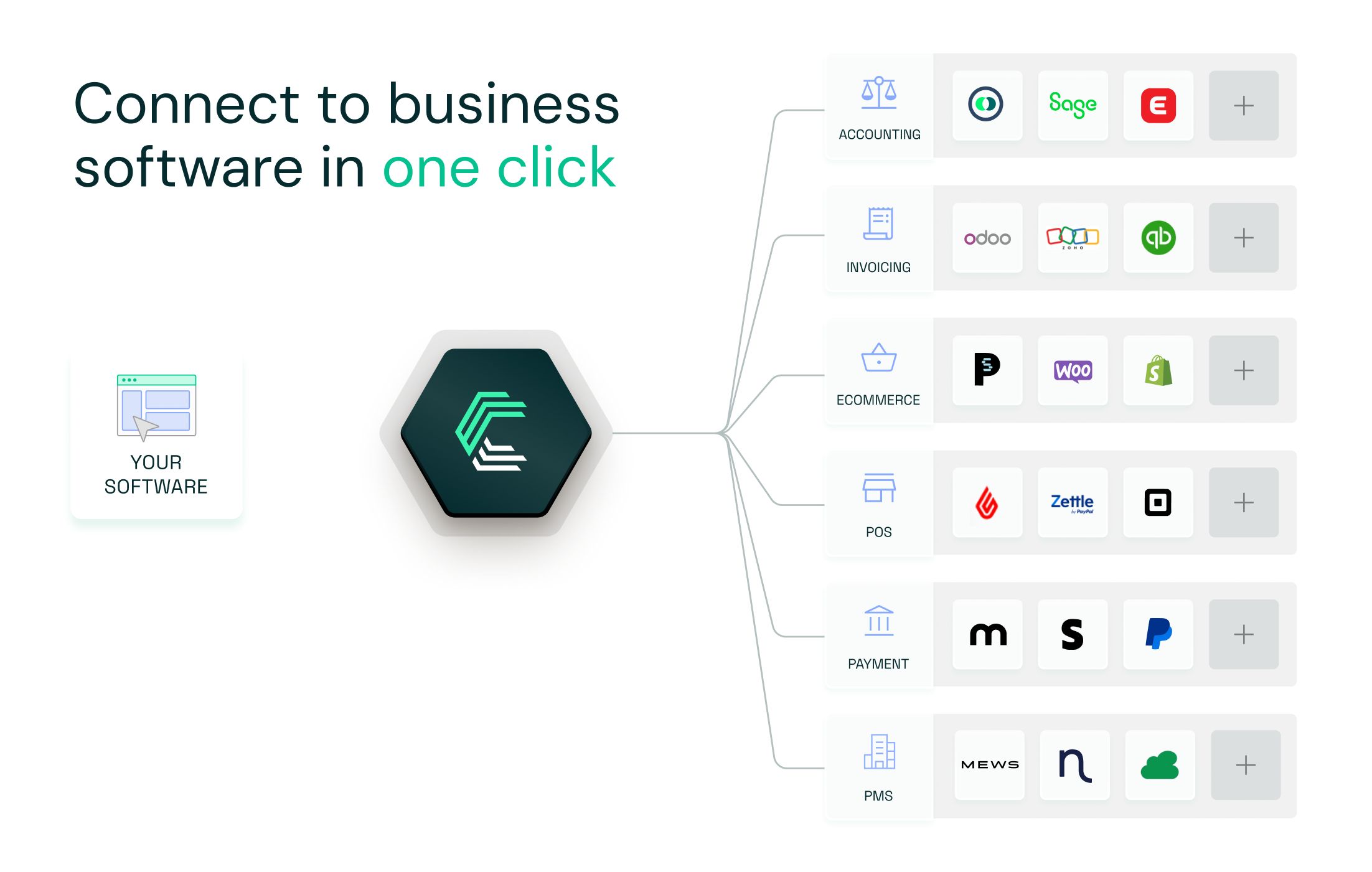
La API Unificada de Contabilidad de Chift te da acceso a Lexware Office y a una biblioteca creciente de conectores contables a través de una única integración. Nos encargamos del mantenimiento de la API, la autenticación y el mapeo de datos para que tú no tengas que hacerlo. Cuando Lexware actualiza su API o cambia su comportamiento, adaptamos nuestro conector. Tú sigues centrado en tu producto.
Para los proveedores de software que se dirigen a los mercados DACH, Lexware Office es una de las conexiones contables más importantes que puedes ofrecer a tus clientes. Con Chift, puedes activarla con un solo clic una vez que tu integración inicial está en marcha.
Reserva una demo para ver lo fácil que es empezar.
API de Lexware Office: preguntas frecuentes
¿Qué método de autenticación utiliza la API de Lexware Office?
Lexware usa una clave API estática transmitida como token Bearer en el encabezado Authorization. Las claves tienen una vida útil infinita y están limitadas a una organización. No hay flujo OAuth ni mecanismo de renovación de token.
¿Cuál es el límite de velocidad de la API de Lexware?
Lexware impone un límite estricto de 2 solicitudes por segundo por clave API. Es la restricción principal. No hay cuota por minuto ni por hora más allá de este límite por segundo.
¿Cuánto tiempo lleva obtener una clave API de Lexware?
Lexware exige aprobación antes de emitir claves API a los integradores. Cuenta con aproximadamente un mes de plazo. Tenlo en cuenta en la planificación de tu proyecto.
¿Cuál es la diferencia entre justificantes y facturas en Lexware Office?
Los justificantes son para documentos entrantes como facturas de compra y gastos. Las facturas, abonos y facturas de anticipo son documentos de venta salientes. Usan endpoints distintos y no son intercambiables. Solo los documentos de venta pueden generarse en PDF por Lexware.
¿La API de Lexware admite multi-tenancy?
Cada clave API está limitada a una sola organización. Para integrar varios clientes, cada uno genera su propia clave API, que se almacena y utiliza de forma independiente por conexión.
.webp)
.jpg)