.webp)
Zoho Invoice is part of the comprehensive Zoho suite, serving businesses worldwide with powerful invoicing and billing capabilities. If your software touches finance, invoicing, or customer billing, integrating with Zoho Invoice opens doors to a massive user base across global markets.
Integrating your product with the Zoho Invoice API allows you to:
- Automate invoice creation and customer billing workflows
- Sync financial data across platforms for reconciliation and reporting
- Access global markets with region-specific API endpoints
- Reduce manual data entry and improve accuracy
This guide walks you through the Zoho Invoice API, setup process, and best practices, all supported by Chift's Unified Invoicing API.
What is the Zoho API?
Zoho offers a dedicated API for their invoicing product as part of their broader software ecosystem. While Zoho provides multiple products, Chift specifically integrates with Zoho Invoice, focusing on the invoicing and billing functionality.
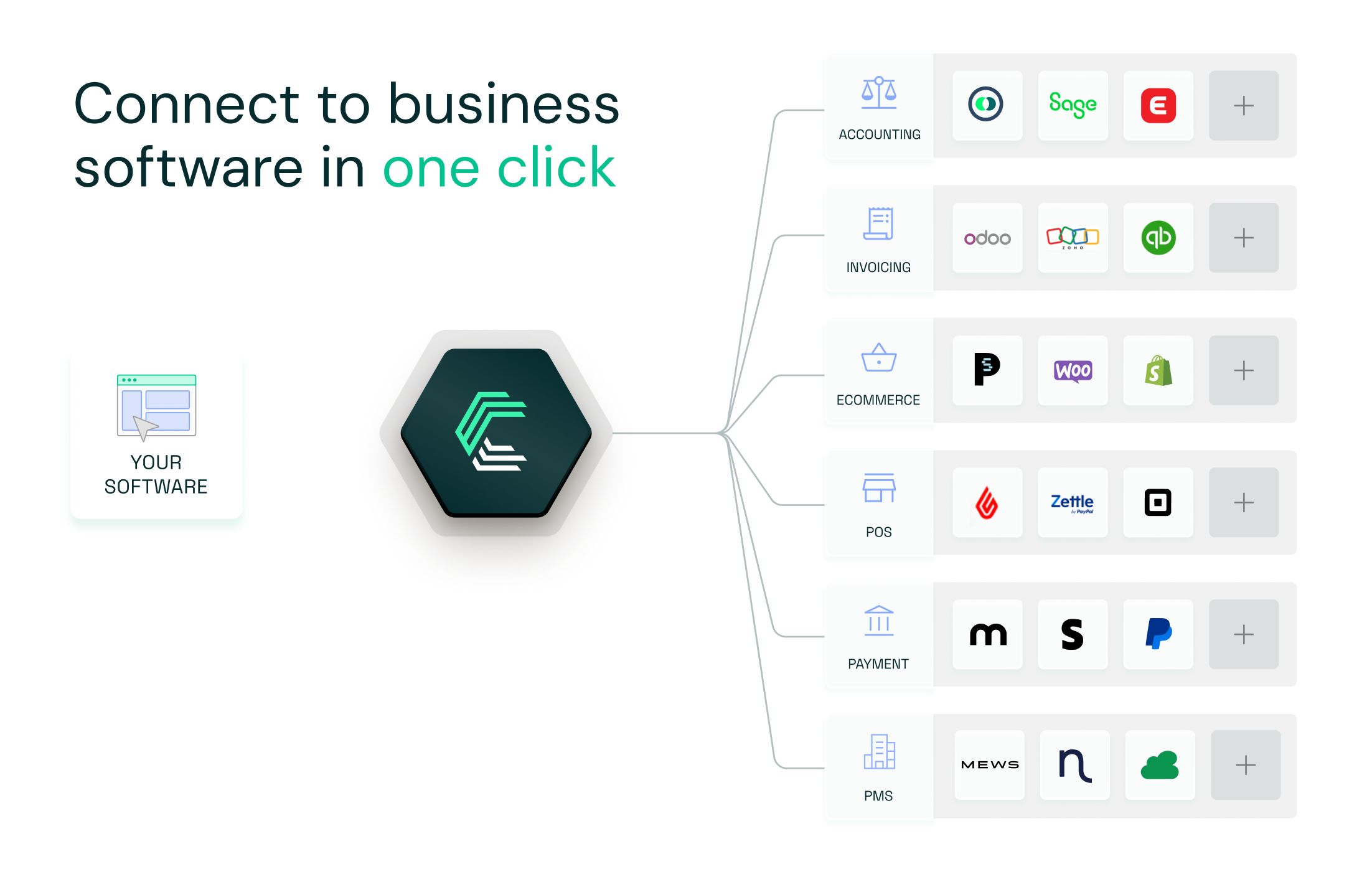
Connect to all popular solutions with a single integration
Discover how Chift's Unified APIs have helped software vendors quickly add dozens of integrations.
Example of Zoho Integrations use cases
Keep customer records in sync across your tools
Pull customer and contact details from Zoho to keep your CRM, billing, or support tools aligned. Everyone works from the same up-to-date information, with no copy-paste between systems.
.jpeg)
Instantly sync invoices and customers from Zoho with accounting
Say goodbye to messy manual exports. Invoices and customer records from Zoho can be automatically synced into your accounting software, keeping your data clean, accurate, and always up-to-date.
.jpeg)
Powering cash flow forecasting with open invoice data
Pull outstanding invoices from Zoho Invoice to build accurate accounts receivable projections. Analyze payment patterns and timing to improve financial planning and anticipate cash flow movements.
.jpeg)
For more real-world integration examples, visit our case studies page.
Setting up your Zoho Invoice API integration
Zoho Invoice uses OAuth2 for authentication. When connecting Zoho Invoice through Chift, the only required setup step is to register an OAuth2 application in Zoho’s developer console.
During this registration, Zoho provides a client ID and a client secret. These credentials must be entered in Chift’s platform when prompted.
Once provided, Chift takes care of the entire OAuth2 authorization flow.
To know more check out the documentation!
How does the Zoho Invoice integration setup work?
To build a reliable integration with Zoho Invoice, keep these best practices in mind:
Include the organization ID in every call
Zoho uses "organizations" as their technical term for businesses. Always provide the organization ID with each API request to ensure operations target the correct business, especially important for users managing multiple organizations.
Handle rate limits properly
Zoho enforces a 100 calls per minute limit, plus concurrent request limits (5 for free plans, 10 for premium). Implement retry logic and request queuing to avoid hitting these limits during high-traffic periods.
Optimize your pagination strategy
Use pagination appropriately by retrieving as little or as much data as needed in a single call. This reduces unnecessary requests, improves response times, and helps you stay within rate limits.
Select appropriate OAuth2 scopes
During authentication, only request the scopes your integration actually needs. Overly broad permissions can cause user friction during the authorization flow.
Why use Chift's Unified Invoicing API to connect Zoho Invoice?
Building and maintaining a Zoho Invoice integration takes time and resources. OAuth2 flows, regional routing, rate limit handling, and ongoing API changes all require attention.
Chift eliminates this complexity:
- One integration, multiple platforms: Connect to Zoho Invoice alongside Qonto, PayPal, Stripe, and dozens of other invoicing tools through a single API
- Automatic OAuth2 management: We handle authentication, token storage, and refresh logic
- Regional routing built-in: Chift automatically detects user regions and routes to the correct Zoho endpoint
- Pagination: Chift manages pagination
- Rate-limit handling: Chift enforces rate-limits and optimizes request volumes
- Optimized performance: Optimized request caching reducing unnecessary API calls and improving response times
- Monitoring & reliability: Continuous monitoring ensures failures are detected and handled early
- Normalized data models: Receive consistent data formats across all invoicing platforms
- Zero maintenance: When Zoho updates their API, we adapt, your integration keeps working
Your team ships faster. Your users connect seamlessly. Your product scales without engineering overhead.
Zoho API integration FAQ
Does Zoho have APIs?
Yes. Zoho provides separate APIs for each of their products, including Zoho Invoice, Zoho CRM, Zoho Books, and more. While there's some overlap in functionality across products, each API is tailored to its specific product's features. Multiple versions for the APIs are available, Chift supports v3.
Through Chift, you can connect to Zoho Invoice and access its complete invoicing and billing functionality.
What does Zoho integrate with?
Zoho Invoice integrates natively with other Zoho products like Zoho CRM for customer data synchronization. Zoho Invoice offers 55+ integrations with payment gateways, e-commerce platforms, and business tools.
You can explore their full integration marketplace.
Does Zoho have an open API?
Yes. Zoho provides comprehensive API documentation and an OpenAPI specification file for developers. You can download the complete OpenAPI spec.
What is the API rate limit on Zoho Invoice?
Zoho enforces two types of rate limits:
Per-minute limit: 100 API calls per minute across all requests
Concurrent request limit:
- Free plan: 5 requests
- Premium plan: 10 requests
If your integration exceeds these limits, Zoho returns rate limit errors.
What endpoints are available in the Zoho Invoice API?
The Zoho Invoice API provides access to essential invoicing data including:
- Customers and contacts
- Invoices and credit notes
- Payments and refunds
- Items and products
- Expenses and bills
- Tax configurations
Consult our Zoho Invoice API documentation for a complete list of available endpoints via Chift.
If you're interested to know more, contact our team!
.webp)
.jpg)