.webp)
AFAS is a widely used ERP solution that helps companies automate and manage their core business processes digitally. With the AFAS API, businesses can connect their AFAS Profit environment to external applications and platforms, enabling seamless data exchange and automation.
In this article, we explain how the AFAS API works, how to set up an integration and best practices to follow.
What is the AFAS API?
AFAS Profit is a cloud-based ERP software that covers a broad range of company processes, including: ERP, Order management, Payroll & HRM, Project management, Accounting. Each of these modules exposes data that can be accessed through the AFAS API.
Technical overview of the AFAS API
The AFAS API follows a RESTful architecture, data is exchanged using JSON
- Uses standard HTTP methods:
GETPOSTPUTDELETE
AFAS works with different types of APIs, called Connectoren:
- GetConnectoren: Used to retrieve data
- UpdateConnectoren: Used to create or update data
AFAS APIs
- We use custom GetConnectoren, built by Chift, to retrieve accounting data aligned with Chift’s unified API endpoints
- We use the AFAS UpdateConnectoren to push data such as:
- Customers
- Suppliers
- Invoice entries
It is not possible to create custom UpdateConnectoren; these are always provided by AFAS.
How does the AFAS API integration setup work?
Authentication
Authentication is handled using a key generated in the AFAS end-user environment. This key is automatically created when an integration app is set up in AFAS Profit.
Retrieving data from AFAS
AFAS provides standard GetConnectoren (getConnectoren) out of the box. These expose commonly used tables and fields and are ideal for generic use cases or getting started quickly.
For more advanced or standardized integrations, Chift creates custom GetConnectoren:
- These connectors are added to the customer’s AFAS Profit environment
- Once activated, they allow us to retrieve exactly the accounting data required
- Field selection and filtering can be fully customized
Pushing data to AFAS
To push data into AFAS, we rely on UpdateConnectoren provided by AFAS. These allow integrations to:
- Create or update customers
- Create or update suppliers
- Push invoice and accounting entries
Connect to all popular solutions with a single integration
Discover how Chift's Unified APIs have helped software vendors quickly add dozens of integrations.
What can you build with an AFAS integration?
Connecting AFAS through Chift enables a wide range of use cases across accounting, finance, and payments. Here is some of the most common ones:
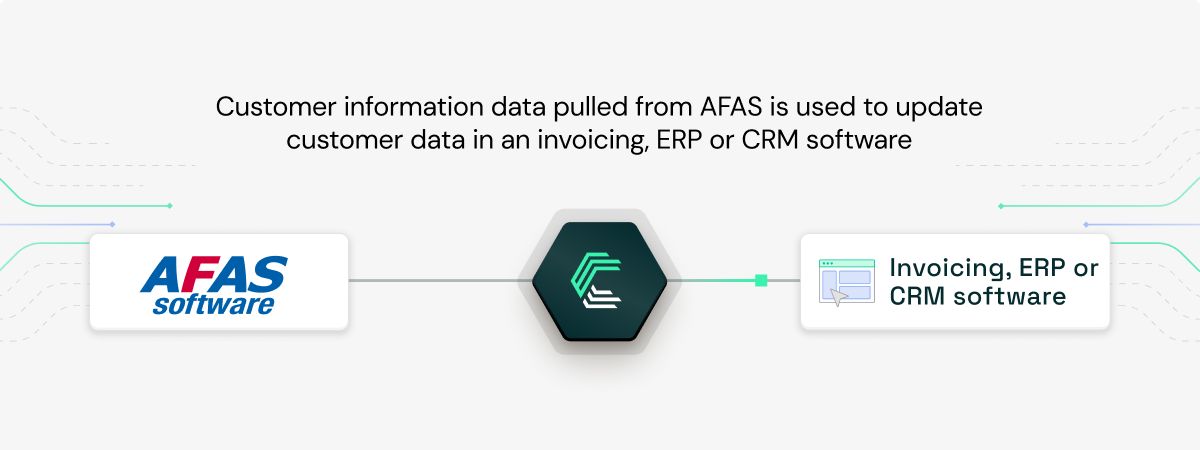
Synchronising customer data with accounting
Keep customer records consistently updated between your CRM and AFAS, ensuring accuracy and seamless customer relationship management.
Streamlining payment reconciliation
Payment providers’ users often deal with transaction amounts that differ from invoice totals due to fees and refunds. With Chift, they can connects to AFAS to push transaction data, making payment reconciliation smoother and more accurate.
.jpeg)
Automating bank fee reconciliation
Banks and neobanks use Chift to connect with major accounting platforms, including AFAS. This integration enables automatic creation of bank entries in accounting tools, making it easier to reconcile transactions that include bank fees, foreign exchange differences, or partial payments.
.jpeg)
Best practices for integrating with the AFAS API
When building an AFAS integration, we recommend following these best practices:
- Use a test or acceptance AFAS Profit environment
Always develop and test your integration in a dedicated environment before going live.
- Engage with AFAS support early
Contact the AFAS Profit Partner team to get guidance during implementation.
- Follow AFAS specialization training
The “Connectoren” specialization training helps you understand best practices and limitations.
- Handle error codes properly
AFAS returns detailed error information in the response body. Each error code can have multiple root causes that should be interpreted correctly.
- Limit data at the connector level
When creating custom GetConnectoren, only expose the fields you actually need.
- Apply filters to reduce data load
Use hardcoded filters in the GetConnector configuration and flexible filters in your application to retrieve only relevant or recent data.
Why connect AFAS through Chift’s Unified Accounting API?
Building and maintaining a direct accounting integration means dealing with authentication logic, rate limits, schema mapping, and long-term maintenance.
With Chift, you benefit from:
- A single Unified Accounting API to connect AFAS and dozens of other accounting platforms such as Exact, Visma eAccounting, Xero, Pennylane, Quickbooks, FreeAgent.
- Normalized accounting data models
- Built-in authentication and error handling
- Faster implementation and easier scalability
By integrating AFAS with Chift, you can connect AFAS Finance to hundreds of other SaaS tools through one unified API. This allows you to synchronize accounting data efficiently while avoiding the complexity of maintaining a custom AFAS integration.
Frequently asked questions about AFAS
What is the AFAS API rate limit?
AFAS does not currently enforce a strict rate-limiting mechanism.
Instead, they rely on a fair use policy. If an integration sends too many requests or puts excessive load on the system, the connection may be blocked. It is therefore important to design efficient queries and apply proper filtering.
Welke database gebruikt AFAS?
AFAS uses an SQL database, with a separate database instance for each individual customer.
Waar gebruik je AFAS voor?
AFAS is used to digitally automate and manage business processes, including finance, HR, payroll, projects, and operations.
Is AFAS cloud gebaseerd?
Yes. AFAS has been fully cloud-based since 2020 under the name AFAS Online.
The on-premise version has been completely phased out.
Hoeveel winst maakt AFAS?
In 2024, AFAS reported a profit of €127 miljoen.
Curios to know more? Reach out to the Chift team!
.webp)

.jpg)