.webp)
Hiboutik is a cloud-based Point of Sale (POS) system widely used by independent retailers, restaurants, and small businesses across Europe. Known for its simplicity and flexibility, Hiboutik helps merchants manage sales, products, customers, and daily operations directly from the cloud.
If you’re building a product that relies on retail data, sales reporting, or accounting automation, integrating with Hiboutik’s POS API is a powerful way to unlock transaction data synchronisation for your users.
In this article, we’ll cover how the Hiboutik API works, how to integrate it, best practices to follow, and how Chift simplifies everything through a unified approach.
What is the Hiboutik API?
The Hiboutik API is a RESTful web service that allows developers to interact programmatically with a Hiboutik POS account. It enables software platforms to retrieve and synchronize POS data, automate workflows, and connect Hiboutik with accounting, analytics, or back-office tools.
Key technical characteristics
REST API with JSON over HTTP
All endpoints follow REST principles and return structured JSON responses.
Flexible authentication methods
Hiboutik supports both Basic HTTP authentication and OAuth.
👉 At Chift, we use Basic HTTP authentication for reliability and simplicity.
Wide endpoint coverage with pagination
The API exposes sales, products, customers, receipts, and more, with pagination support to handle large data volumes efficiently.
API activation & documentation
API access must be enabled on the Hiboutik account, and official documentation is provided to support implementation.
This makes the Hiboutik API well-suited for POS data synchronization, reporting, and accounting use cases.
Connect to all popular solutions with a single integration
Discover how Chift's Unified APIs have helped software vendors quickly add dozens of integrations.
Common Hiboutik API integration use cases
Connecting Hiboutik through Chift’s Unified POS API enables multiple high-value use cases for software vendors.
Automated Z reports for accounting platforms – MyUnisoft & Inqom
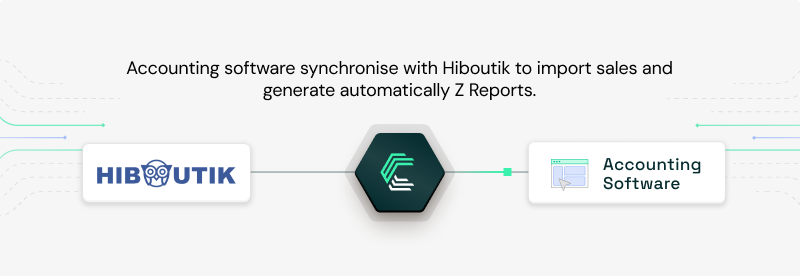
Accounting solutions such as MyUnisoft, Inqom and Pennylaney rely on Chift to automatically collect POS closing data from retail and hospitality businesses using Hiboutik to bring the Z Report in accounting.
Instead of chasing exports or manually reconciling figures, accountants receive structured, ready-to-use data directly in their software, reducing errors and significantly improving collaboration with their clients.
Read the full case study: How Pennylane achieves super-connectivity with Chift
Sales-driven performance insights in HR & workforce planning – Skello
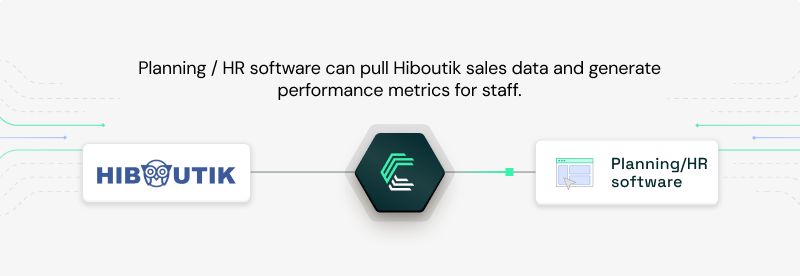
Skello, a workforce management and HR platform, leverages POS sales data collected via Chift to analyze individual and team performance at the vendor or waiter level.
By combining Hiboutik sales data with scheduling information, restaurant managers can better align staffing decisions with revenue patterns.
Explore the case study: Ultra-fast scaling of POS integrations for HRIS solution Skello
Live inventory synchronization for ERP systems
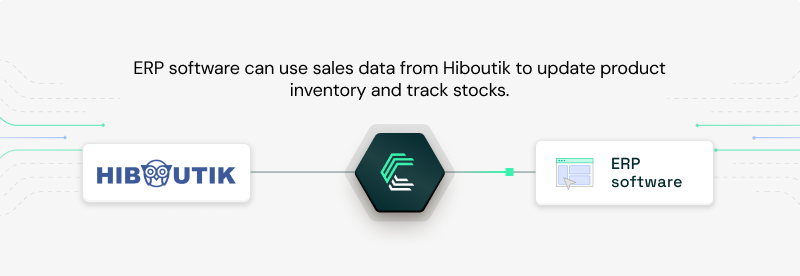
ERP platforms connected to Hiboutik through Chift can monitor sales activity in near real time and automatically update stock levels.
This continuous synchronization helps businesses avoid stock shortages, limit over-ordering, reduce waste, and keep inventory planning tightly aligned with actual sales performance.
For more examples of how POS integrations can improve your product, explore our Chift case studies.
How to set up a Hiboutik API integration
To connect to Hiboutik, the setup process is straightforward but must be handled securely.
Required credentials
To create a Chift–Hiboutik integration, you need:
- API key (keep it secret and never share it publicly)
- Username (email) associated with the Hiboutik account
- Hiboutik account name
Authentication method
- Basic HTTP authentication
- Credentials are passed securely with each API request
Chift manages this authentication layer for you, so your users don’t have to handle credentials manually.
Best practices for integrating with the Hiboutik API
To build a stable and scalable integration, we strongly recommend the following:
- Optimize API usage and caching
- Avoid fetching the same data repeatedly. Cache responses when possible and sync incrementally instead of polling full datasets.
- Validate data and handle errors properly
- Always check API responses and handle edge cases such as missing fields or temporary API failures.
- Secure API key management
- Store API keys in secure environments (vaults or secrets managers) and never expose them client-side.
These practices help ensure performance, reliability, and security over time.
Why connect Hiboutik through Chift’s Unified POS API?
Building and maintaining a direct POS integration comes with long-term costs: authentication logic, pagination, data normalization, error handling, and ongoing maintenance.
With Chift, you get:
- A single Unified POS API to connect Hiboutik and dozens of other POS systems
- Normalized data models for sales, payments, and reports
- No connector maintenance on your side
- Faster go-to-market across multiple countries and POS vendors
Instead of managing POS integrations one by one, you integrate once and scale instantly.
Connect Hiboutik and more POS systems with one integration
Chift’s Unified POS API gives you access to a growing ecosystem of POS systems used across Europe, alongside accounting and compliance platforms. In addition to Hiboutik, connect to L’Addition, Square, Popina, Zettle, Cashpad, Restomax, and more.
Your product stays focused on value. We handle the complexity of integrations.
Book a demo with our team and explore Hiboutik and other POS connectors in action.
Hiboutik API - Frequently Asked Questions
What endpoints are included in the Hiboutik API?
Through Chift’s Hiboutik connector, you can interact with a broad set of POS data via multiple API routes, including:
- Locations /locations
- Payments /payments
- Orders /orders
- Sales /sales
- Products /products
This is not an exhaustive list. For full endpoint coverage and technical details, refer to our Hiboutik API documentation.
What are Hiboutik API rate limits?
Hiboutik applies rate limiting depending on the subscription plan.
While exact limits are not publicly documented, best practice is to:
- Avoid excessive polling
- Batch requests when possible
- Sync data at reasonable intervals
Chift is designed to respect these constraints and optimize API usage automatically.
.webp)