.jpg)
Fatture in Cloud is a widely adopted invoicing platform in Italy, used by freelancers, SMEs, and accounting professionals to issue invoices, manage VAT, and stay compliant with local regulations.
If your product operates in finance, invoicing, accounting automation, cashflow, or payments, integrating with Fatture in Cloud gives you direct access to structured, compliant invoicing data from one of the Italian market’s key players.
In this article, we’ll cover how the Fatture in Cloud API works, how to set up an integration, best practices to follow, and how Chift simplifies everything through a unified invoicing layer.
What is the Fatture in Cloud API?
The Fatture in Cloud API is a modern RESTful API designed to programmatically access invoicing, tax, and entity data stored in a Fatture in Cloud account.
Technical overview
- API type: REST (v2 – current and recommended)
- Base URL:
%%https://api-v2.fattureincloud.it%% - Protocol: HTTPS
- Data format: JSON
- Specification: OpenAPI (YAML available)
Multiple API versions
- API v2 (recommended)
- Fully REST-compliant, supports OAuth2, and covers all invoicing and entity use cases.
- API v1 (legacy)
- Older POST-only design, now deprecated. Migration to v2 is strongly encouraged.
Chift uses API v2, ensuring secure OAuth2 authentication and long-term compatibility.
{{CTA-1}}
What can you build with a Fatture in Cloud integration?
Once connected through Chift’s Unified Invoicing API, Fatture in Cloud data can power a wide range of product use cases.
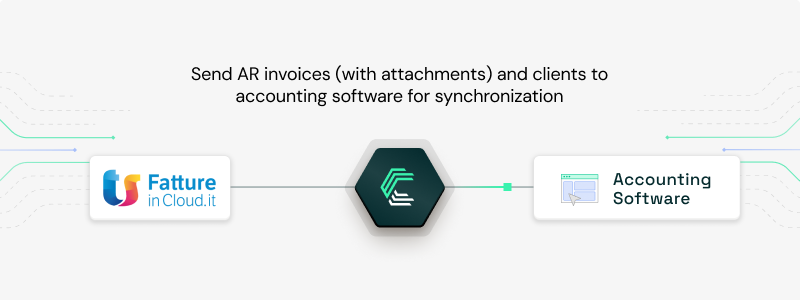
Instantly sync invoices and customers from Fatture in Cloud with accounting
Say goodbye to messy manual exports. Invoices and customer records from Fatture in Cloud can be automatically synced into your accounting software—keeping your data clean, accurate, and always up-to-date.
That’s exactly what Inqom, a next-gen accounting platform, does using our Unified Invoicing API to simplify invoice syncing and power smoother pre-accounting workflows.
Read more: How Inqom rapidly scales POS, Invoicing and Payment connectivity with Chift
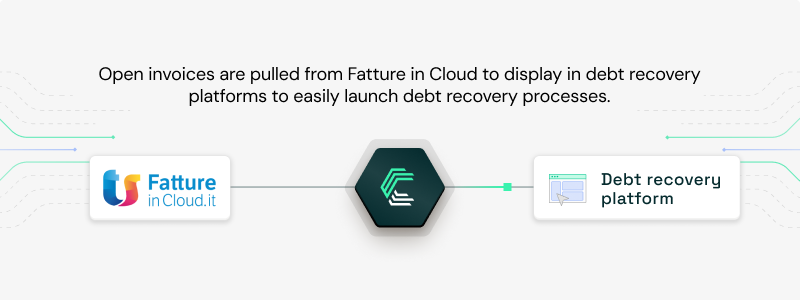
Automate debt recovery workflows with open invoice data
Debt recovery platforms like GCollect, LegalCity, and Rubypayeur connect to invoicing software like Fatture in Cloud via Chift to automatically retrieve open receivables and trigger debt collection processes. This eliminates manual tracking and ensures timely action on unpaid invoices.
Explore the use case: How GCollect automates debt recovery with seamless integrations
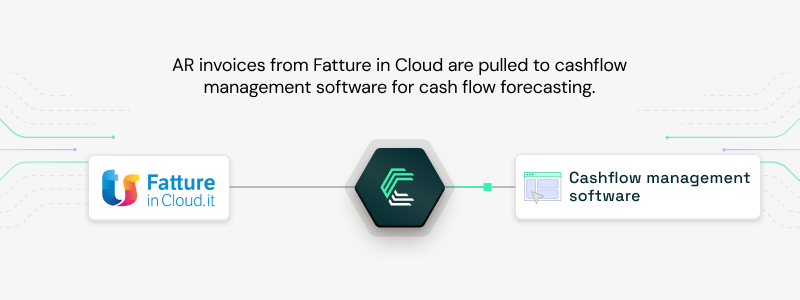
Fuel real-time cashflow forecasts with invoice data
Leverage invoice data pulled from Fatture in Cloud to power dynamic cashflow projections. Forecasting tools can offer users a real-time view of their receivables, helping them anticipate and plan with confidence.
Explore our customer case studies.
How to set up a Fatture in Cloud API integration
Integrating with Fatture in Cloud requires an OAuth2-based setup.
Prerequisites
- An active Fatture in Cloud account
- API access enabled on the company account
- An application created in the Fatture in Cloud interface
- A Client ID and Client Secret
Setup steps
- Log in to the Fatture in Cloud web interface
- Go to the Developer section
- Create a new application and retrieve credentials
- Define the Redirect URL for the OAuth2 flow
- Use OAuth2 Authorization Code Flow with the required scopes, including:
%%entity.clients:r%%%%entity.suppliers:r%%%%products:r%%%%issued_documents.invoices:r%%%%issued_documents.credit_notes:r%%%%received_documents:r%%%%taxes:r%%%%settings:r%%
Chift handles this entire flow for you, including token storage, refresh logic, and scope management.
Best practices for integrating with the Fatture in Cloud API
To ensure a secure, scalable, and reliable integration, we recommend the following:
- Handle authentication securely
- Always use OAuth2 Authorization Code Flow
- Never expose the Client Secret in frontend code
- Store credentials in environment variables or secure vaults
- Use refresh tokens to renew access automatically
- Respect rate limits and handle errors properly
- Implement exponential backoff for
%%429 Too Many Requests%% - Read and monitor rate limit headers
- Use
%%Retry-After%%to schedule retries correctly - Do not retry
%%403 Forbidden%%errors without addressing quota limits
- Implement exponential backoff for
- Optimize performance
- Batch requests when possible
- Cache static data such as company IDs
- Use pagination for large datasets
- Reuse HTTP connections for better efficiency
Chift applies these best practices by default, so you don’t need to rebuild them for every integration.
Why connect Fatture in Cloud through Chift’s Unified Invoicing API?
Building a direct invoicing integration means managing OAuth flows, schema changes, rate limits, and long-term maintenance.
With Chift, you benefit from:
- One Unified Invoicing API instead of multiple custom connectors
- Normalized invoicing data models across tools
- Built-in authentication and error handling
- Faster rollout and easier scaling across countries
You integrate once and unlock Fatture in Cloud alongside dozens of other invoicing and accounting platforms.
Connect to Fatture in Cloud and scale your invoicing integrations
Whether you’re building an invoicing tool, an accounting platform, a cashflow product, or a financial service, Fatture in Cloud data can unlock real value for your users.
Chift makes that access simple, secure, and scalable. A single integration with Chift’s unified accounting API unlocks connectivity with Fatture in Cloud, Datev, Xero, Quickbooks, Exact, Sage and many more.
Want to see how it works? Book a demo and explore how Chift powers invoicing integrations across Europe.
Fatture in Cloud API integration FAQ
Which endpoints are available in the Fatture in Cloud API?
Integrating with Hubspot gives you access to multiple data models to push or pull information. For example:
- Contacts
%%/contacts%% - Invoices
%%/invoices%% - Taxes
%%/taxes%%
What are the Fatture in Cloud API rate limits?
Fatture in Cloud enforces both short-term and long-term limits:
- 1,000 requests per hour per company–app pair
- 40,000 requests per month (company–app or company level, depending on app type)
- 300 requests per 5 minutes per company (short-term limit)
When limits are exceeded, the API returns %%429 Too Many Requests%% or %%403 Forbidden%% responses with a %%Retry-After%% header.
Chift automatically manages rate limits and retry strategies to keep your integration stable.




.jpg)



.jpg)
.jpg)
.jpg)
.jpg)
.jpg)
.jpg)
.jpg)
.webp)
.webp)
.webp)




.webp)





.avif)


