Connecting SnelStart to your application lets your users automate their bookkeeping and financial workflows directly from your product. This guide walks you through the process of generating an API key from a SnelStart account.
If you need more information on how to integrate SnelStart read our guide on it.
Step 1: Log in to SnelStart Web
Go to web.snelstart.nl and log in with your credentials.
Step 2: Open the Koppelingen panel
In the overview panel on the left, click on the Koppelingen tile.
Step 3: Select your software partner
Find the card that corresponds to the software partner you want to link with and click Set link. For testing purposes, select the SnelStart inHandel card.
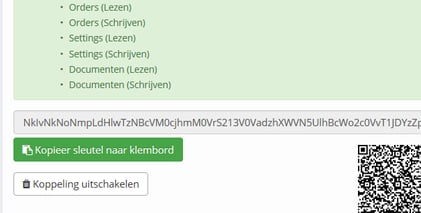
Step 4: Copy your API key
A client key will be generated. Copy it, you'll need to paste it into the Client key field when completing the connection in Chift.
Curious about how you can use Chift's Unified Accounting API for your integrations? Reach out to our team for a demo.
.webp)