An e-Boekhouden integration brings automated accounting processes to your application, making operations smoother for your users. Activating this integration requires authentication credentials, and a revocable API key offers the best security. Follow along as we demonstrate how to generate your API key from your e-Boekhouden account.
Step 1: Log In
Log in to your e-Boekhouden account.
Step 2: Access the e-Boekhouden API management page
Navigate to the e-Boekhouden API token management page:
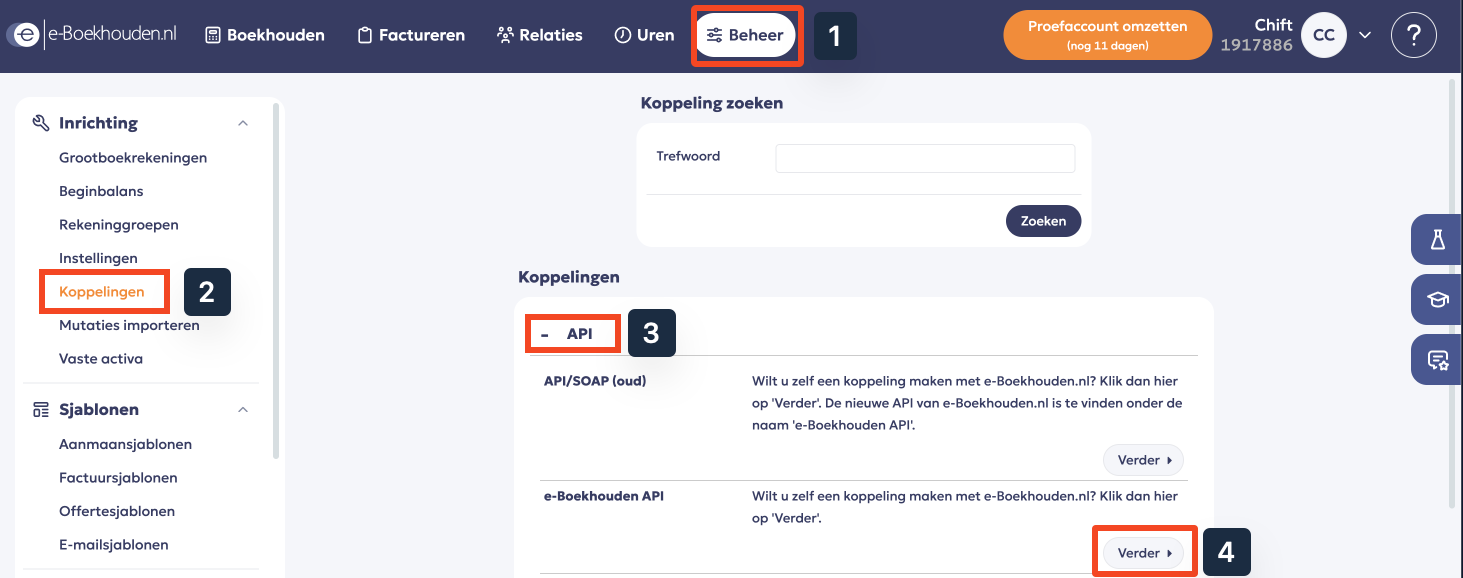
- Go to Beheer in the top menu.
- In the left sidebar, under Inrichting, select Koppelingen.
- In the API section, find e-Boekhouden API and click Verder.
Step 3: Generate the API token
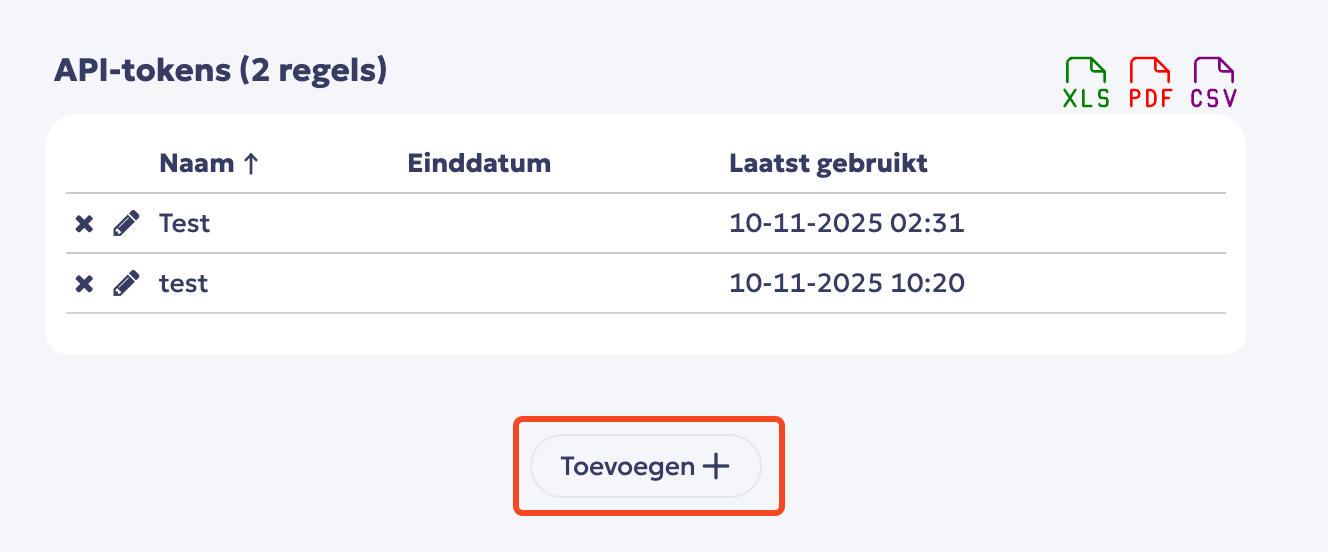
Click Toevoegen to create a new API token.
Set up the key and save.
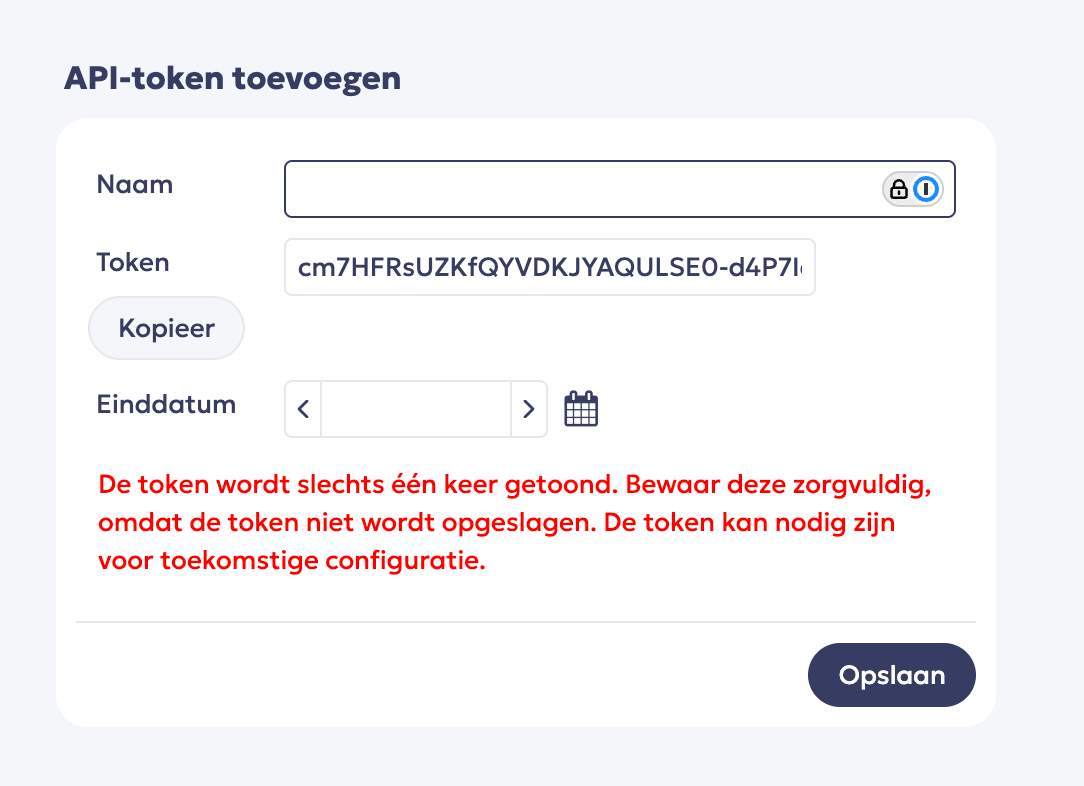
Give your API token a name, COPY THE TOKEN and save it.
Important remarks
The token is displayed only once, so make sure to save it immediately. Otherwise, you will need to generate a new token.
You do not need to set an end date for the token. We recommend leaving this blank.
Curious about how you can use Chift’s Unified Accounting API for your integrations? Reach out to our team for a demo.
.webp)
.jpg)