What OpenAI launched
ChatGPT for Accounting has two parts. The first is an Accounting plugin, built by OpenAI, that gives ChatGPT guidance for recurring work such as invoice processing, reconciliation and reporting. The second is a set of partner apps that let ChatGPT read the books, and in some cases enter records.
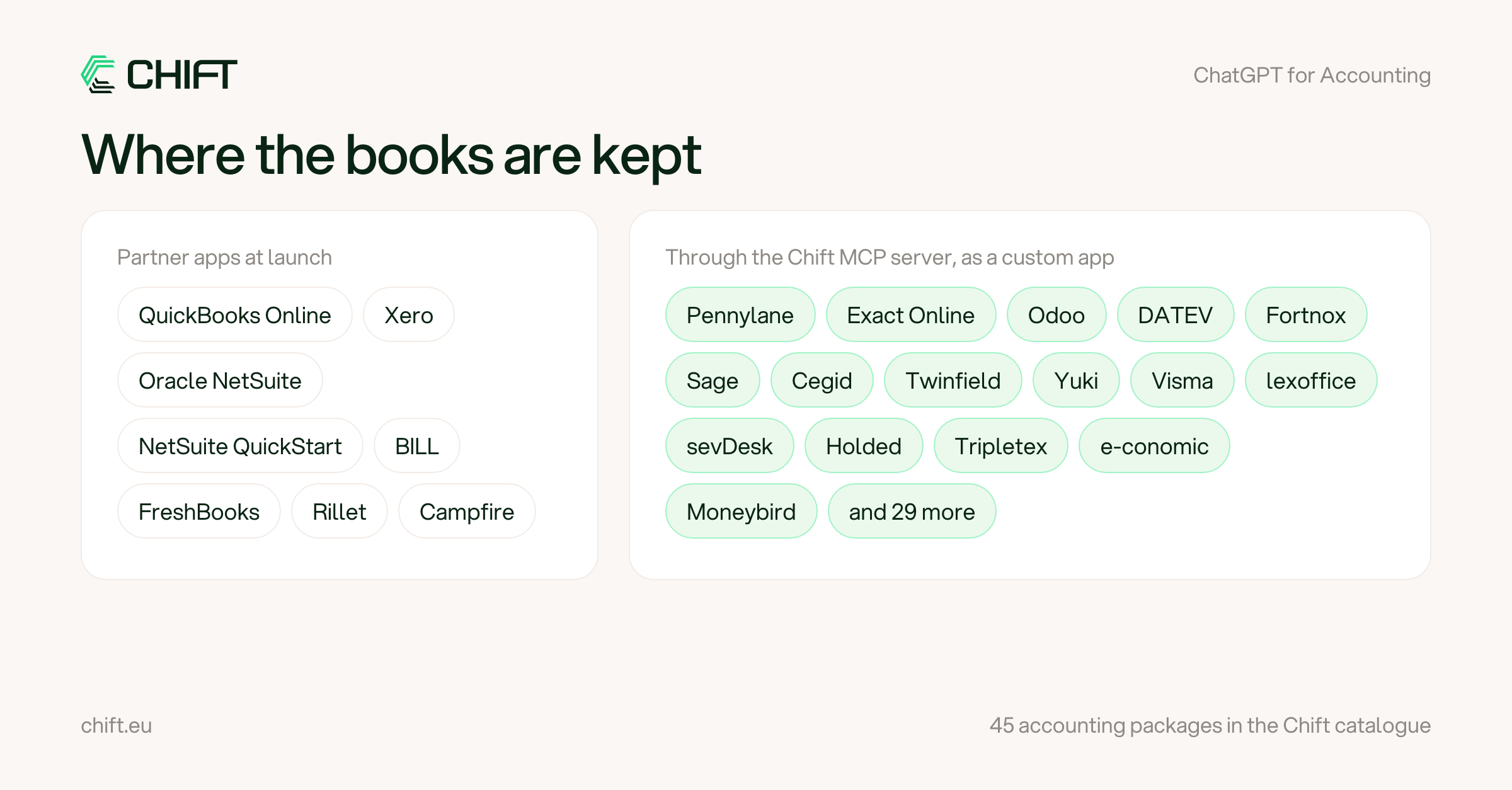
Eight apps are listed at launch: QuickBooks Online, Xero, Oracle NetSuite, NetSuite QuickStart, BILL, FreshBooks, Rillet and Campfire. The plugin runs in the ChatGPT desktop app. Members of a Business workspace can install it themselves, and in an Enterprise workspace an admin approves it first.
For an accounting package that has no app, OpenAI points to computer use, where ChatGPT works in the application's own screens.
Where European books are kept
A finance team in Paris, Antwerp, Munich or Stockholm often works in software that grew up with its country's chart of accounts and tax rules. Pennylane, Cegid and Sage in France. Exact Online, Twinfield and Yuki in the Netherlands and Belgium. DATEV, lexoffice and sevDesk in Germany. Fortnox, Visma, Tripletex and e-conomic in the Nordics. Holded and Sage 200 in Spain.
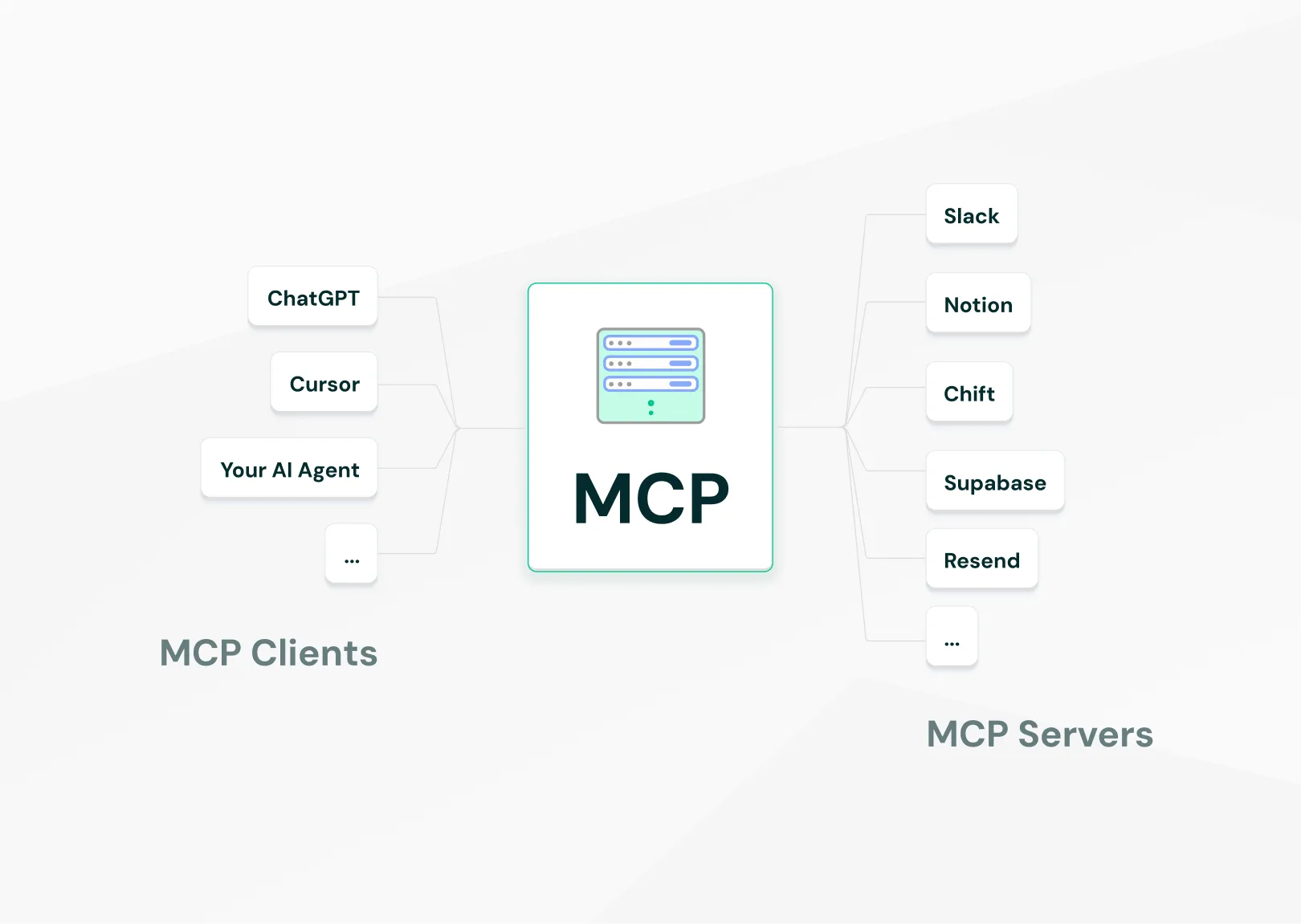
These teams want the same thing as everyone else: ask a question about the books in plain language and get an answer they can trust. The route is the same one the partner apps use. Each app connects ChatGPT to an MCP server, and ChatGPT lets you add a custom MCP app of your own.
One MCP server for 45 accounting packages
Chift connects to accounting software across Europe through a single API, and the same connections are available to an AI assistant through the Chift MCP server. The catalogue covers 45 accounting packages today, including the ones named above, and also QuickBooks, Xero and NetSuite.
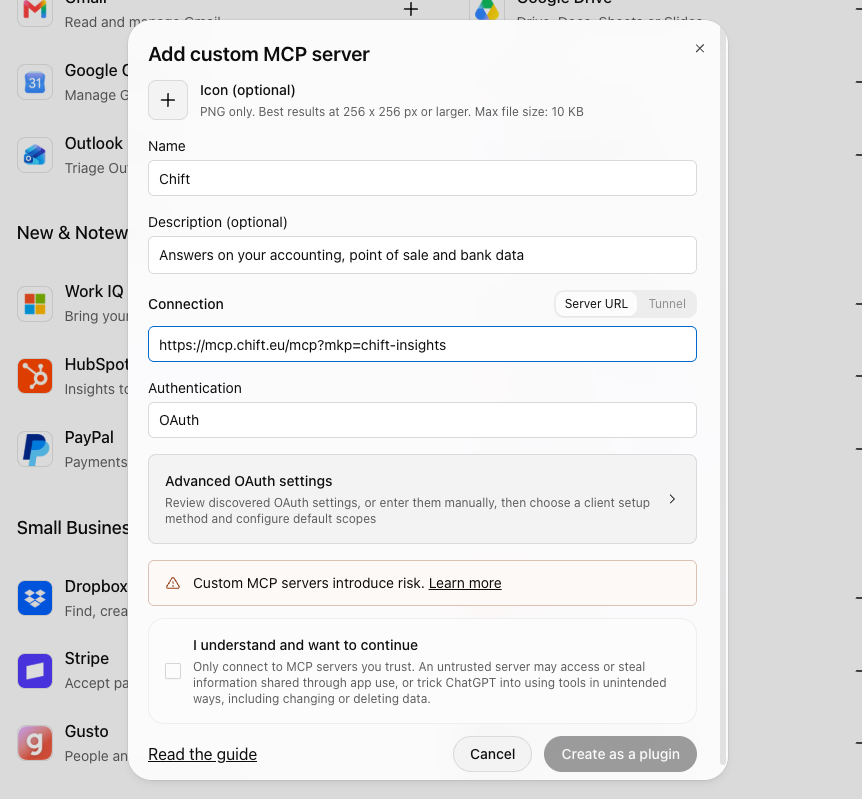
You add the server once. In ChatGPT, turn on developer mode and add a custom MCP app with this address:
<https://mcp.chift.eu/mcp?mkp=chift-insights>
The first time ChatGPT connects, a Chift page opens. You sign in, pick your accounting package from the catalogue and authorize Chift with that provider directly. Your credentials are never typed into ChatGPT.
A record or a figure
There are two kinds of question you can put to your books, and they need different tools.
Some questions are about one record. "Show me invoice FA-2026-0142 and its lines." "List the invoices from this supplier in October." The assistant fetches the record from your accounting software and shows it.
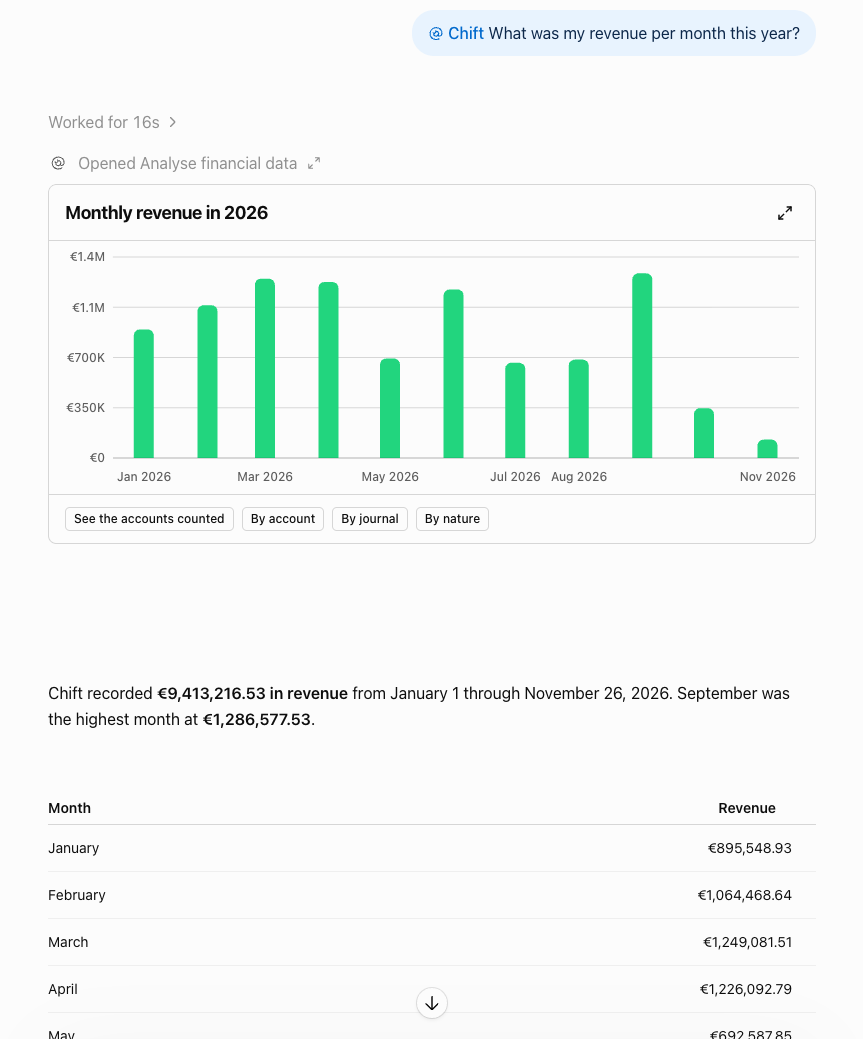
Other questions are about a figure. "What was my revenue per month this year?" "Who are my ten largest customers?" "Which invoices are more than ninety days late, and how much do they add up to?" Here an assistant that only has records must fetch thousands of lines and add them up itself.
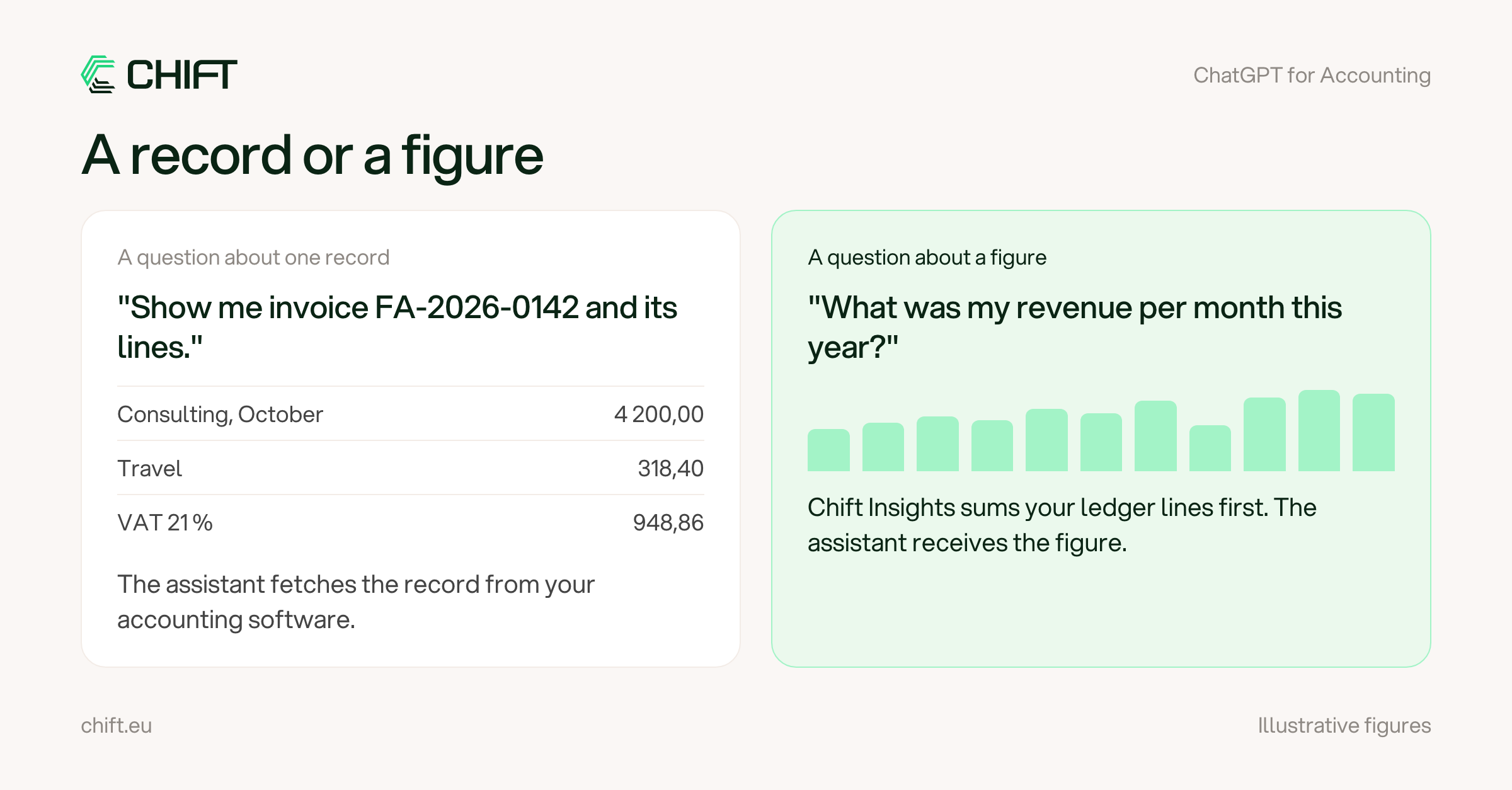
Chift Insights answers the second kind. Chift sums the totals from your ledger lines before the assistant sees them, and amounts in different currencies are never added together. The same question asked twice gives the same answer, and a breakdown reconciles with your trial balance to the cent. When the answer is a trend, a comparison or a ranking, a chart comes with the table.
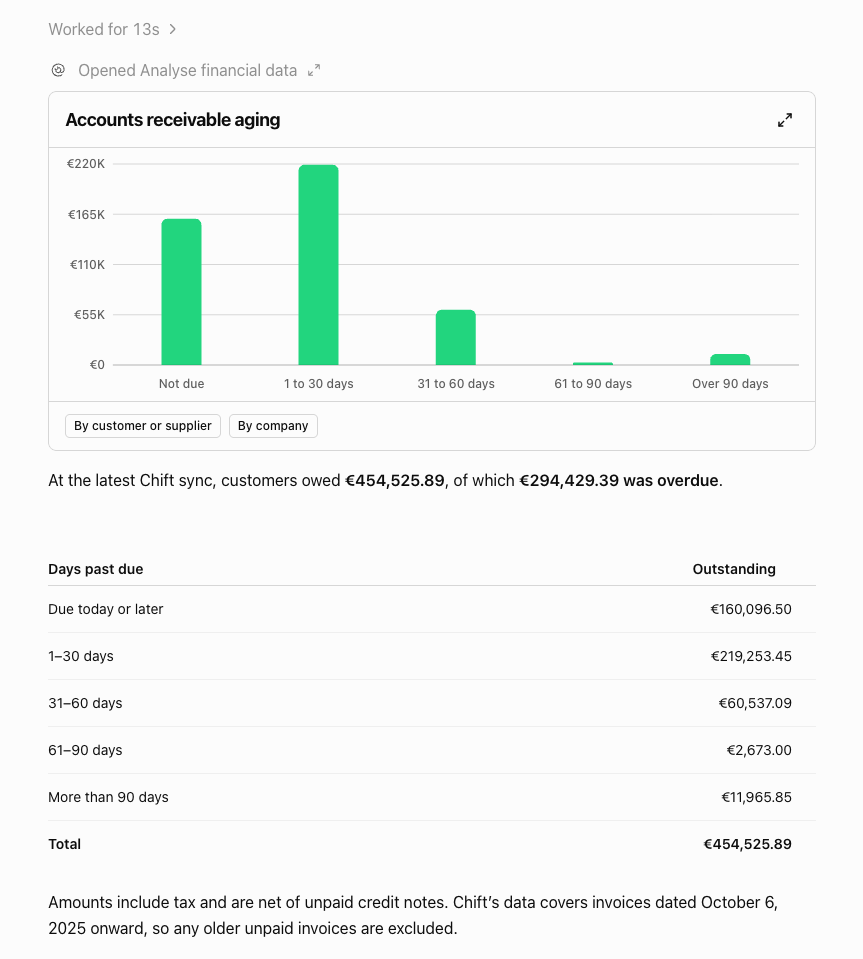
The same goes for a balance. Asked "How much do customers still owe me, by how late the invoices are?", ChatGPT returns the receivables split by age, and the total.
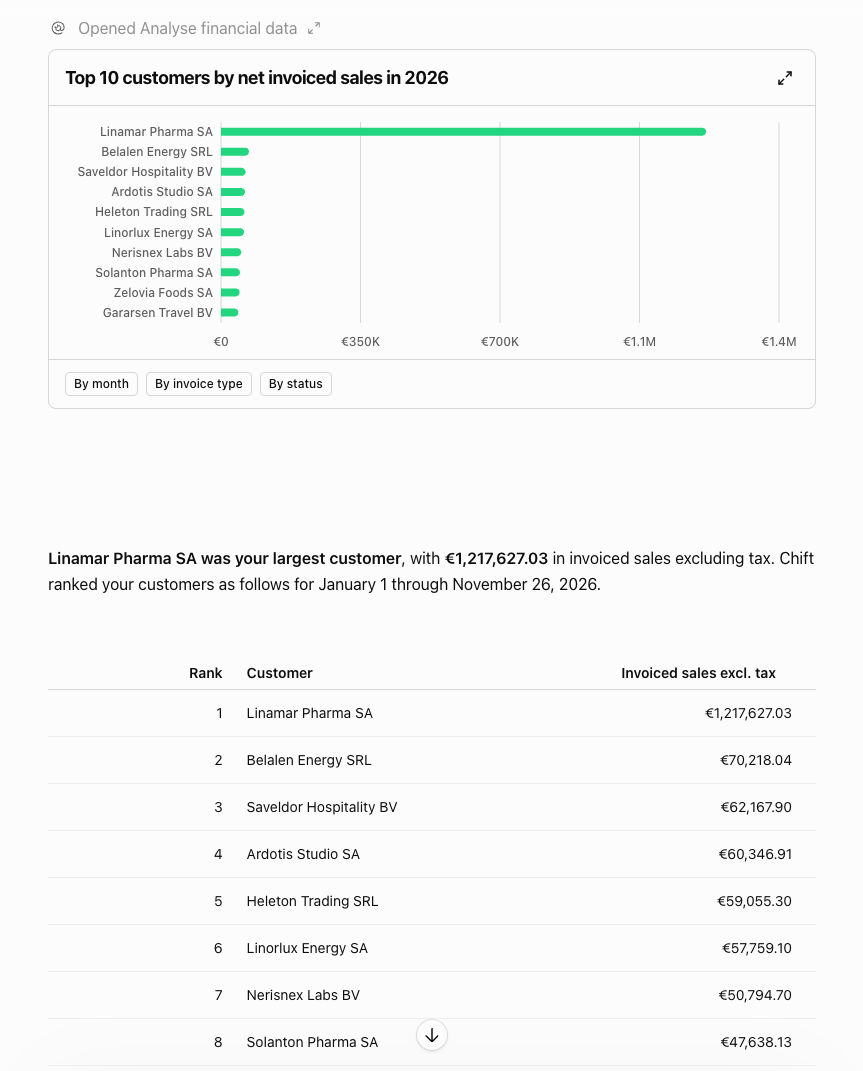
And for a ranking. "Who are my ten largest customers this year?"
Beyond the ledger
The books are one source. Your point of sale knows what you rang up, your accounting knows what you invoiced, and your bank knows what arrived. Chift Insights can ask each source its own question and line the answers up by month, so you can check whether last week's takings reached the bank or whether everything you sold has been invoiced.
With the Accounting plugin
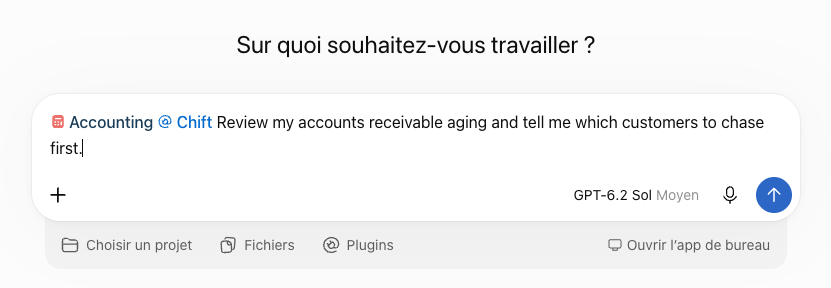
The Accounting plugin and a custom app can work in the same conversation. We selected both, the plugin and Chift, and asked ChatGPT to review the receivables and say which customers to chase first.
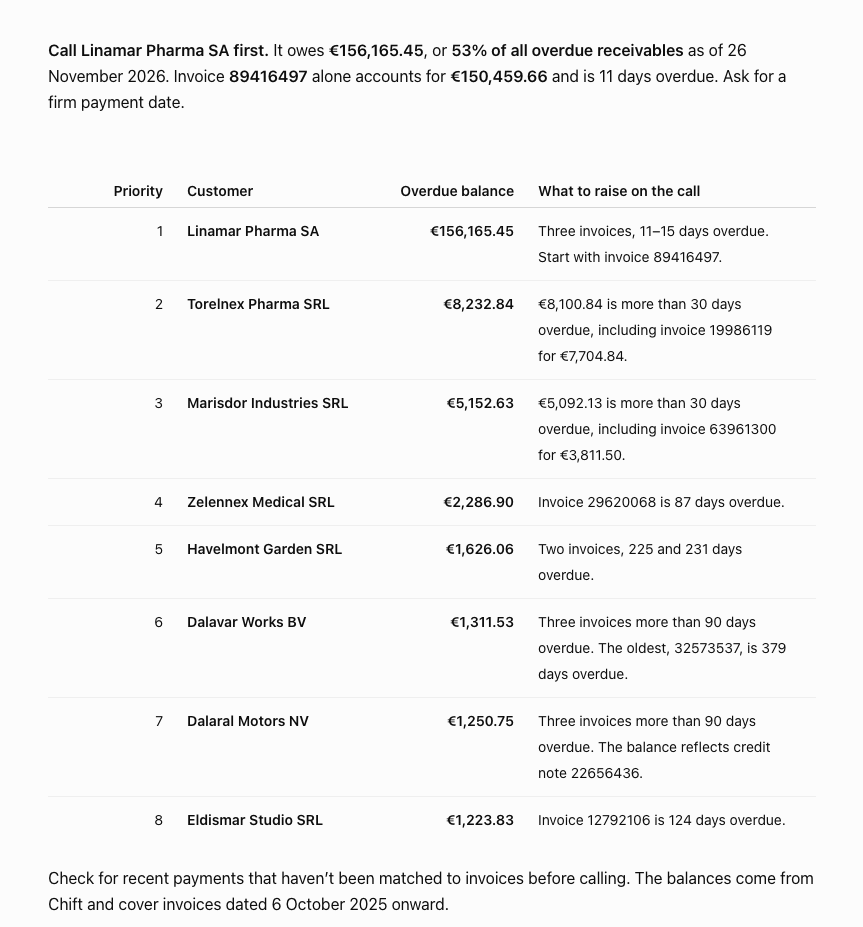
ChatGPT pulled the aging from Chift, looked at the open invoices customer by customer, and came back with a call list: who to phone first, for how much, and which invoice to mention.
Read first, write when you are ready
OpenAI's guidance makes a point worth repeating: a connection that lets you read transactions may have different permissions for entering records. Chift treats the two separately as well.
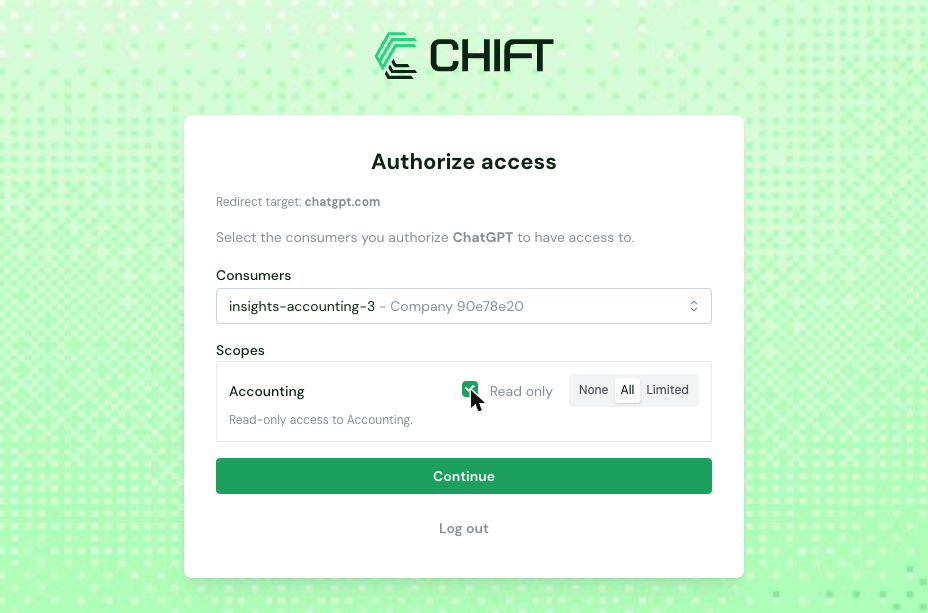
Access is granted one area at a time: your books, your point of sale, your bank. Tick Read only on an area and the assistant can answer questions there but cannot create or change anything.
Answers come from a copy of your records stored in the European Union and refreshed once a day by default, so a question never slows down your accounting software.
How to try it
- In ChatGPT, turn on developer mode and add the Chift address as a custom MCP app.
- Sign in on the Chift page that opens and connect your accounting package.
- Tick Read only if you only want answers.
- Ask: "How is cash moving in and out of the business?"
If you build software for accountants or finance teams and want this inside your own product, the same server and the Insights endpoints are documented at docs.chift.eu.
Curious to see how it works for your product? Book a demo