
Connecting Holded to your application creates automation opportunities that make business operations easier for your users. This guide will walk you through the process of generating an API key from your Holded account.
Step 1: Settings
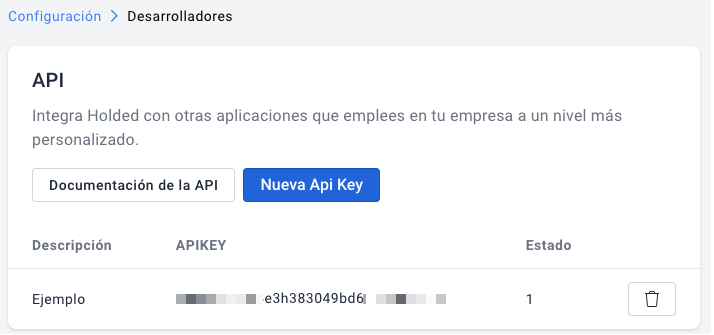
From your holded account, at the top left go to settings, go to the ‘More’ section and click on Developers.
Step 2: Create the API Key
Click on + New API Key, enter the name you want in the description, save to finalize changes.
Curious about how you can use Chift’s Unified Accounting API for your integrations? Reach out to our team for a demo.
Connect to all popular accounting solutions with a single integration
Discover how Chift's Unified APIs have helped software vendors quickly add dozens of integrations.
Book a demo
Connect to all popular POS solutions with a single integration
Discover how Chift's Unified APIs have helped software vendors quickly add dozens of integrations.
Book a demo
Connect to all popular invoicing solutions and CRMs with a single integration
Discover how Chift's Unified APIs have helped software vendors quickly add dozens of integrations.
Book a demo
Connect to all popular financial software with a single integration
Discover how Chift's Unified APIs have helped software vendors quickly add dozens of integrations.
Book a demo
Connect to all popular ecommerce platforms with a single integration
Discover how Chift's Unified APIs have helped software vendors quickly add dozens of integrations.
Book a demo