Connecter Holded à votre application crée des opportunités d'automatisation qui facilitent les opérations commerciales pour vos utilisateurs. Ce guide vous accompagnera dans le processus de génération d'une clé API depuis votre compte Holded.
Étape 1 : Paramètres
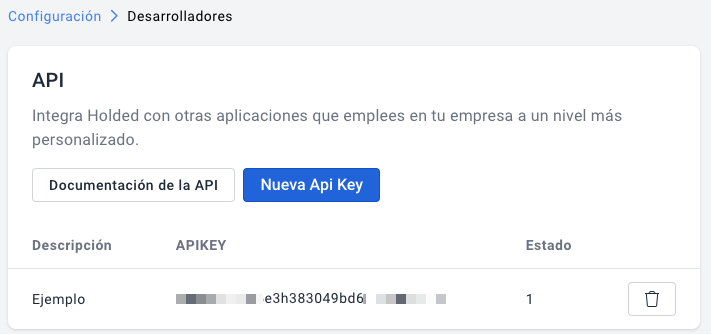
Depuis votre compte Holded, en haut à gauche, accédez aux paramètres, allez dans la section Plus et cliquez sur Développeurs.
Étape 2 : Créer la clé API
Cliquez sur + Nouvelle clé API, saisissez le nom souhaité dans la description, puis enregistrez pour finaliser les modifications.
Vous êtes curieux de découvrir comment utiliser l'API comptable unifiée de Chift pour vos intégrations ? Contactez notre équipe pour une démonstration.
.webp)